Any file
TXT, LOG, INI, JSON, XML, HTML, Markdown, source code — or anything else. From Files, Mail, Safari and messengers with Share.
Share → Notepad Notepad.exe — Untitled
The plain-text editor you remember — now on iPhone and iPad. Opens any file, reads old encodings and knows nothing about you.

iPhone and iPad · iOS 15 or later · free
TXT, LOG, INI, JSON, XML, HTML, Markdown, source code — or anything else. From Files, Mail, Safari and messengers with Share.
Share → NotepadDetects UTF-8, UTF-16, Windows-1251/1252, OEM 866 and KOI8-R. Keeps Windows, Unix or Mac line breaks.
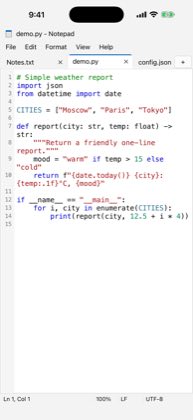
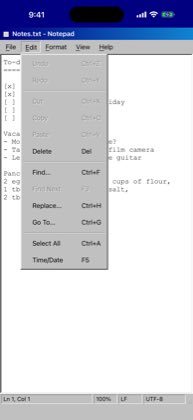
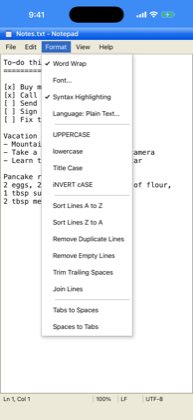
UTF-8 · 1252 · 866 · KOI8-RSeveral documents, line numbers, highlighting for 25 languages, find and replace with regular expressions.
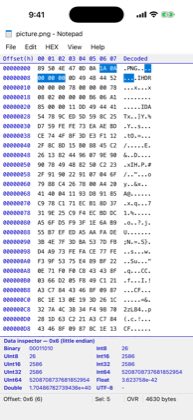
Ctrl+T · Ctrl+F · Ctrl+HEdit any file byte by byte, data inspector, byte search, CRC-32, MD5, SHA-1 and SHA-256 checksums.
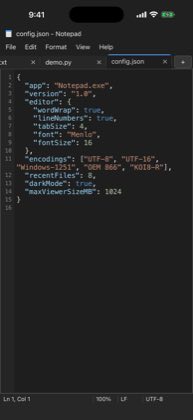
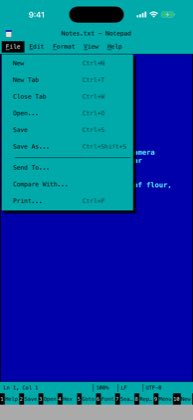
00 FF 4D 5A …Text-mode DOS screens, 90s 3D windows, the blue 2000s, glass, flat and rounded looks. And dark mode.
9 styles · dark modeLogs of hundreds of megabytes open instantly. Compare two files line by line. Markdown and HTML preview.
diff · preview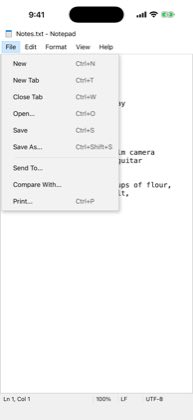
No accounts, no ads, no analytics. Your files stay on your device or in the storage you choose and go nowhere unless you send them.
Privacy policy →In the Files app → On My iPhone → Notepad. File → Open reaches any other place too: iCloud Drive, other apps' folders and cloud storage.
Use File → Reopen with Encoding… and pick Windows-1251, OEM 866 or KOI8-R. Save As converts the file to UTF-8.
View menu → choose a style. Dark mode, line numbers and the hex editor are there too.